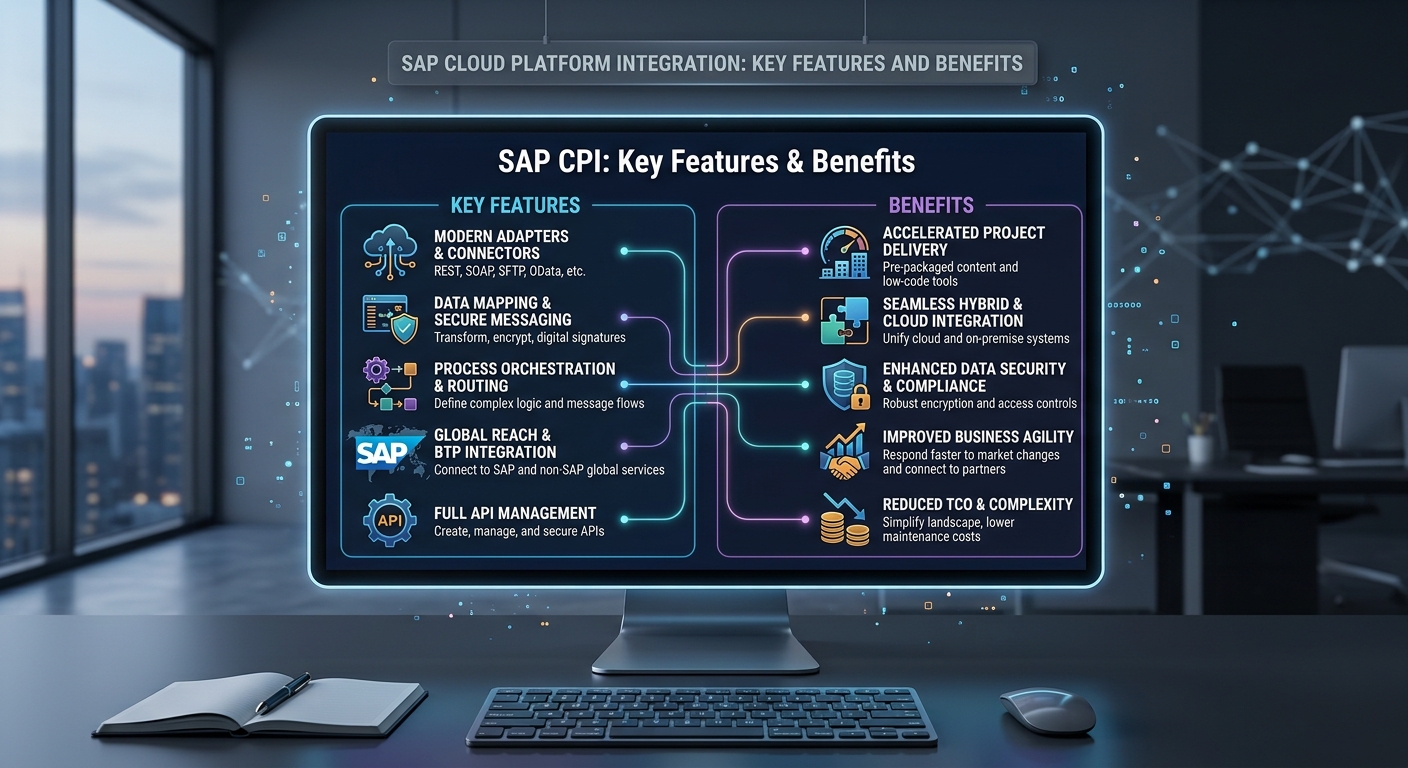
SAP Cloud Platform Integration is a cloud-based integration service designed to connect SAP applications, non-SAP systems, APIs, databases, and external business applications. It provides a central environment for exchanging, transforming, routing, and monitoring business data across different platforms.
SAP Cloud Platform Integration is commonly known as SAP CPI. It is now part of SAP Integration Suite, where the capability is generally referred to as Cloud Integration. The platform supports integration scenarios involving SAP S/4HANA, SAP SuccessFactors, Salesforce, third-party applications, REST APIs, SOAP services, file systems, and other enterprise technologies.
Its key features include integration flows, adapters, message mapping, routing, API-based connectivity, security, monitoring, error handling, and reusable connection configuration. Destinations can also provide connection information for applications and services that need to communicate with other systems.
What Is SAP Cloud Platform Integration?
SAP Cloud Platform Integration is an integration platform as a service, or iPaaS. It allows organizations to connect applications that use different technologies, protocols, and data formats.
For example, a company may use SAP S/4HANA for enterprise resource planning and Salesforce for customer relationship management. These applications may store information differently and expose different interfaces.
SAP Cloud Platform Integration can operate as the integration layer between them.
A typical process looks like this:
Source System → Integration Flow → Data Processing → Target System
The platform receives information from a source system, processes the message according to the configured integration flow, and sends the resulting data to the target system.
This architecture can support both SAP-to-SAP and SAP-to-non-SAP integration.
Key Features of SAP Cloud Platform Integration
SAP Cloud Platform Integration provides several capabilities for enterprise integration. Each capability addresses a specific part of the data exchange process.
Integration Flow Development
Integration flows, or iFlows, define how messages move through the platform.
A flow can contain sender and receiver adapters, message mappings, routers, filters, converters, content modifiers, scripts, and exception-handling components.
For example, an order integration can receive an order from an e-commerce application, validate the information, transform the message, and send it to SAP S/4HANA.
The graphical development environment helps developers configure these processing steps within a single integration flow.
Connectivity Through Adapters
Adapters provide communication between SAP Cloud Platform Integration and external systems.
Different systems require different communication technologies. SAP Cloud Platform Integration supports multiple adapter types for common enterprise scenarios.
HTTP can be used for HTTP-based services and REST APIs. SOAP supports SOAP web services. SFTP supports secure file transfer. OData supports OData services, while IDoc connectivity can be used for SAP IDoc scenarios.
The selected adapter depends on the communication technology supported by the connected system.
Message Mapping
Message mapping is used when the source and target systems use different data structures.
For example, a source application may use:
customer_id
while the target application requires:
CustomerNumber
A mapping can connect these fields.
Mapping can also change data types, combine values, apply conditions, and restructure messages.
This capability is important when two applications have different field names or data models.
Data Transformation
SAP Cloud Platform Integration can transform messages between different formats and structures.
XML and JSON are common formats in API-based integration. File-based scenarios can involve other structured formats.
A transformation process can modify field names, values, structures, and data types before the message reaches the target system.
For example, an external application may send an XML message while an API requires JSON. The integration flow can convert the message into the required format.
Content-Based Routing
Routing allows messages to follow different processing paths based on defined conditions.
For example, an integration flow can receive orders from multiple regions. Orders can be routed according to country, order type, customer type, or another business field.
This allows one integration process to handle multiple business scenarios.
Routing can use message content, headers, properties, or other configured conditions.
API Integration
APIs provide defined interfaces between applications.
SAP Cloud Platform Integration can participate in API-based integration scenarios involving REST and other supported technologies.
A typical process can look like:
External Application → REST API → Cloud Integration → SAP API
The integration flow can authenticate the request, validate the data, transform the structure, and send the information to the target API.
REST APIs commonly use HTTP methods such as GET, POST, PUT, and DELETE.
Security and Authentication
Security is an important feature of enterprise integration.
SAP Cloud Platform Integration supports different authentication methods depending on the source and target systems.
Common approaches include OAuth, basic authentication, client certificates, and other supported security mechanisms.
HTTPS can protect data during transmission.
Security configuration can also control access to integration endpoints and external services.
Credentials should be stored through appropriate secure configuration mechanisms rather than unnecessarily placing sensitive information inside integration scripts or message bodies.
The Role of Destinations
Destinations are used in SAP cloud environments to provide connection information for applications and services.
A Destination can contain information such as a target URL, authentication method, and other connection properties.
For example, an application may need to communicate with an external API. Instead of placing the endpoint and authentication configuration directly into application logic, the application can use a configured Destination.
Destinations can help separate connection settings from application logic.
This can be useful when applications operate across development, testing, and production environments.
For example, the development environment may connect to a test endpoint while the production environment uses a live endpoint.
Destinations can therefore provide a structured approach to managing connection information across SAP cloud environments.
The exact Destination properties depend on the target service, authentication method, and architecture.
Monitoring and Message Processing
SAP Cloud Platform Integration provides monitoring capabilities for integration processes.
Administrators can review message processing and identify successful or failed messages.
Monitoring can help identify issues such as authentication failures, mapping errors, invalid data, unavailable endpoints, and target-system errors.
For example, if an integration fails because an external API returns an HTTP error, the processing information can help technical teams identify the failure.
Monitoring is especially important for business processes that depend on continuous data exchange.
Error Handling
Integration processes can fail for technical or business reasons.
A technical error may occur because a target system is unavailable. An authentication failure can occur because credentials are invalid or expired.
A business error can occur when required information is missing or contains an invalid value.
SAP Cloud Platform Integration provides exception-handling capabilities that can be incorporated into integration flows.
An exception subprocess can capture an error and execute a separate process for handling the failed message.
This can include logging the error, notifying another system, or routing the message to an appropriate error-handling process.
Cloud-to-Cloud Integration
SAP Cloud Platform Integration supports cloud-to-cloud integration scenarios.
An organization may use SAP S/4HANA Cloud, SAP SuccessFactors, Salesforce, and an external logistics application.
Each application can have different APIs, authentication methods, and data structures.
Cloud Integration can operate as the central integration layer.
For example:
SAP SuccessFactors → Cloud Integration → External HR Application
Employee information can be received, transformed, validated, and delivered to the target application.
This provides a structured architecture for managing communication between multiple cloud systems.
SAP and Non-SAP Integration
One important capability of SAP Cloud Platform Integration is its ability to connect SAP and non-SAP systems.
SAP applications may need to exchange information with CRM platforms, payment systems, e-commerce applications, logistics services, marketing platforms, and analytics systems.
For example, an e-commerce platform can send a customer order through a REST API. SAP Cloud Platform Integration can process the order and send the required information to SAP S/4HANA.
The same integration layer can process the response and return information to the e-commerce platform.
Reusable Integration Components
Enterprise environments often contain repeated integration requirements.
Reusable integration components can help reduce duplicated processing logic.
For example, common transformation or processing logic may be designed as a reusable component where the architecture supports it.
Reusable configuration can also help maintain consistent integration practices across multiple flows.
Destinations can support reusable connection configuration in appropriate SAP cloud application scenarios.
This can reduce the need to place separate connection information directly into individual application components.
Scalability and Cloud-Based Architecture
SAP Cloud Platform Integration operates as a cloud service within SAP’s integration environment.
Cloud-based integration can support organizations that have applications distributed across different locations and environments.
A company may operate systems in multiple regions while using cloud applications from different providers.
The integration layer can connect these systems through APIs, adapters, and other supported communication technologies.
Scalability requirements depend on factors such as message volume, message size, processing complexity, endpoint capacity, and the specific SAP service configuration.
Integration architecture should therefore consider expected transaction volumes and performance requirements during system design.
Benefits of SAP Cloud Platform Integration
SAP Cloud Platform Integration provides several technical and operational benefits for organizations managing multiple applications.
One major benefit is centralized integration management. Integration logic can be maintained within a dedicated integration environment rather than being distributed across individual applications.
Another benefit is support for different protocols and data formats. This allows organizations to connect systems that use different technologies.
The platform also provides monitoring and error-handling capabilities. These features help technical teams identify integration problems and investigate failed messages.
Cloud-based deployment can also support integration between cloud applications, on-premises systems, and hybrid environments.
SAP Cloud Platform Integration for S/4HANA
SAP S/4HANA can integrate with other applications through APIs, IDocs, OData services, and other supported technologies.
SAP Cloud Platform Integration can act as the integration layer between S/4HANA and external systems.
For example, an order received from an e-commerce platform can be transformed into the structure required by an S/4HANA interface.
The integration process can validate customer information, map product data, apply business rules, and deliver the order to the SAP system.
The exact integration method depends on the available interfaces and business requirements.
SAP Cloud Platform Integration for Business Applications
Cloud Integration can connect applications used across different business functions.
Human resources systems can exchange employee information. CRM platforms can exchange customer information. E-commerce applications can exchange order information. Logistics systems can exchange shipment information.
The integration flow controls how these messages are processed.
This allows organizations to create structured data flows between business applications while keeping integration logic separate from individual application functions.
How Destinations Support Integration
Destinations can be useful when an application needs a defined connection to another service.
For example, a cloud application may need to access an API hosted by another system. The Destination can provide the target URL and authentication configuration required for the connection.
Using Destinations can also help separate environment-specific configuration from application logic.
A development environment can use one endpoint while a production environment uses another endpoint without changing the core application logic.
This separation can simplify connection management in cloud-based application architectures.
Common Use Cases
SAP Cloud Platform Integration can support many enterprise scenarios.
Common examples include S/4HANA integration, SuccessFactors integration, API integration, cloud-to-cloud communication, file-based integration, customer data synchronization, order processing, employee data exchange, and third-party application integration.
The correct integration method depends on factors such as the source and target systems, data volume, protocol, security requirements, processing frequency, and response requirements.
Frequently Asked Questions
What is SAP Cloud Platform Integration?
SAP Cloud Platform Integration is a cloud-based integration service used to connect SAP applications, non-SAP applications, APIs, and other enterprise systems.
What are the main features of SAP Cloud Platform Integration?
Key features include integration flows, adapters, message mapping, data transformation, routing, API integration, security, monitoring, error handling, and cloud-based connectivity.
What are Destinations in SAP?
Destinations provide connection information that applications and services can use to communicate with target systems. They can include URLs, authentication configuration, and other connection properties.
Why are Destinations important?
Destinations can separate connection configuration from application logic. This can help manage different endpoints and authentication settings across cloud environments.
Can SAP Cloud Platform Integration connect non-SAP applications?
Yes. It can connect SAP and non-SAP applications through supported APIs, adapters, protocols, and integration technologies.
Does SAP Cloud Platform Integration support REST APIs?
Yes. It can support REST and HTTP-based integration scenarios, along with other supported communication technologies.
How does SAP Cloud Platform Integration handle errors?
It provides monitoring and exception-handling capabilities. Failed messages can be investigated through message processing information and handled through configured exception processes.
Is SAP Cloud Platform Integration part of SAP Integration Suite?
Yes. SAP Cloud Platform Integration evolved into the Cloud Integration capability within SAP Integration Suite.
Conclusion
SAP Cloud Platform Integration provides a structured cloud environment for connecting applications, APIs, SAP systems, and third-party platforms. Its key capabilities include integration flow development, adapters, message mapping, data transformation, routing, security, monitoring, and error handling.
The platform supports integration scenarios involving SAP S/4HANA, SAP SuccessFactors, cloud applications, REST APIs, SOAP services, file systems, and external business platforms.
Destinations provide another important capability for managing connection information in SAP cloud environments. They can help separate endpoint and authentication configuration from application logic.
With support for cloud-to-cloud, SAP-to-SAP, SAP-to-non-SAP, and hybrid integration scenarios, SAP Cloud Platform Integration provides the technical foundation for structured enterprise data exchange. Its capabilities are now available as part of SAP Integration Suite through the Cloud Integration service.
Leave a Reply